How a Strong Website Footer Helps Convert Visitors to Customers

Your website footer may sit at the bottom of the page, but it should never be treated like an afterthought. A thoughtful website footer can help your small business build trust, improve usability, support conversions, and create a more polished overall experience. It can also act as an extension of your brand, reinforcing the look, feel, and personality of your business through every part of the site.
For a lot of business owners, the footer is one of the most underused parts of a website. It often becomes the place for a copyright line, a few extra links, and not much else. But your footer is valuable digital real estate. It can guide people, answer questions, reinforce your brand, and make your website feel more complete.
If someone’s made it all the way to the bottom of your page, that’s a great sign. It means they’re still interested. They’re still engaged. And your footer gives you one more opportunity to help them take the next step.
Why Your Website Footer Matters More Than You Think
Your footer may be the last thing someone sees on a page, but that doesn’t make it the least important. In fact, it can act like a backup guide for your website. If a visitor didn’t find what they needed in your header, body copy, or main call to action, the footer gives them another way to keep moving.
A strong footer supports better website navigation, helping people quickly find the pages, information, or contact details they were looking for without having to scroll all the way back up. It can also make your website feel more user-friendly and complete, which is huge when it comes to website design best practices.
For small businesses especially, these details matter. People make quick decisions about whether a business feels trustworthy, established, and professional. A messy footer can make a site feel unfinished. A thoughtful one can do the exact opposite.
What a Good Website Footer Should Actually Do
At its core, a good footer should make life easier for your visitors. It shouldn’t feel cluttered, confusing, or overloaded with links just for the sake of having them. It should feel clear, useful, and aligned with the rest of your site.
A great footer can:
help users navigate your site more easily
share important business contact information
connect people to your social media links
reinforce cohesive branding
support SEO for small business
create a smoother overall user experience
In other words, it is not just there to fill space. It should actively support your goals.
Include Clear Website Navigation
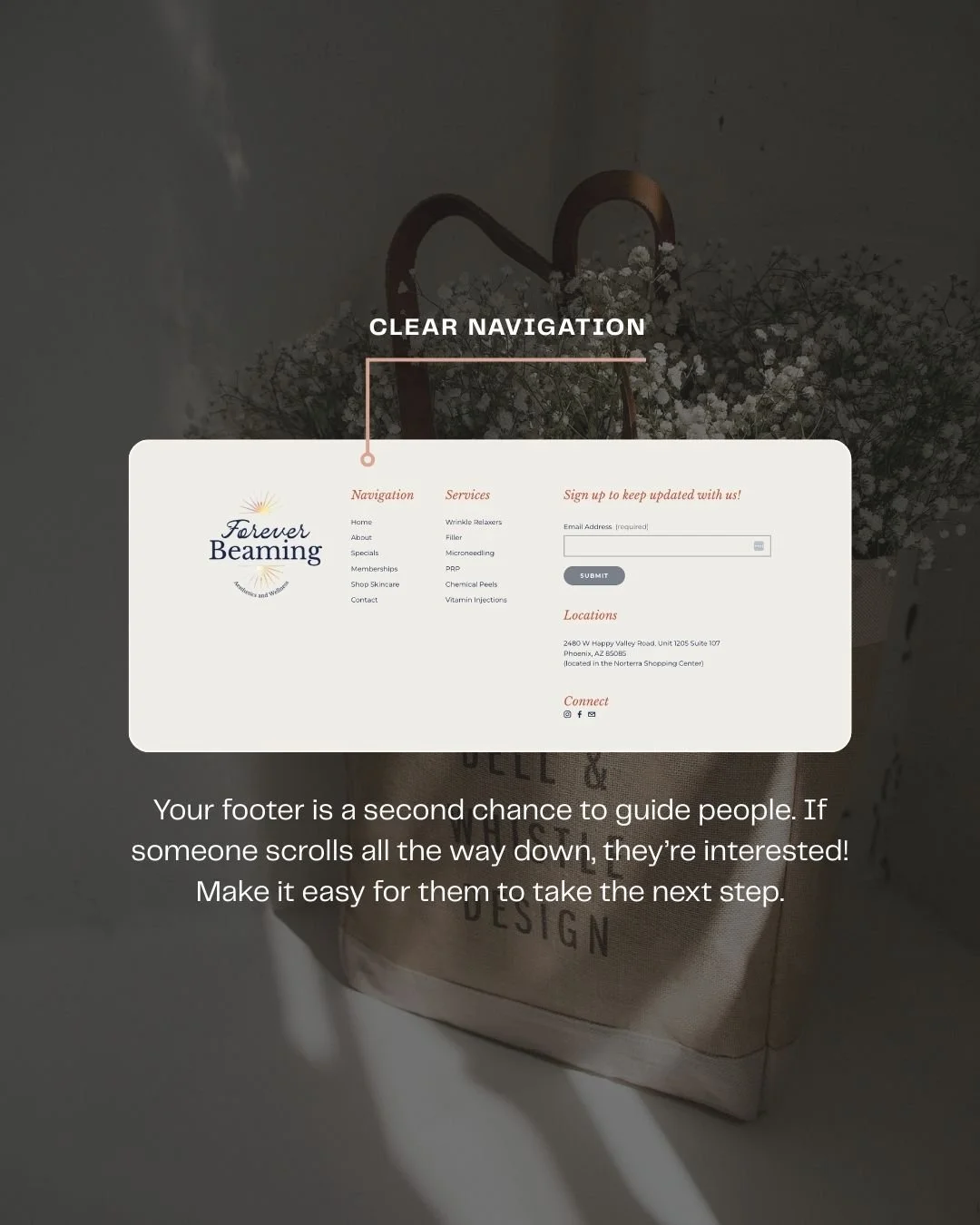
Make it easy for people to find key pages
One of the best things you can include in your footer is a simple set of navigation links. Strong website navigation helps users move through your site more easily, especially if they land on long-form pages like blogs, service pages, or sales pages.
Your footer navigation might include links to pages like:
Home
About
Services
Contact
Blog
FAQs
Shop
Portfolio
But you don’t need to include every single page on your site. Instead, keep it clean and strategic. Focus on the pages people are most likely to want next, and make sure they’re easy to scan.
Add Your Business Contact Information
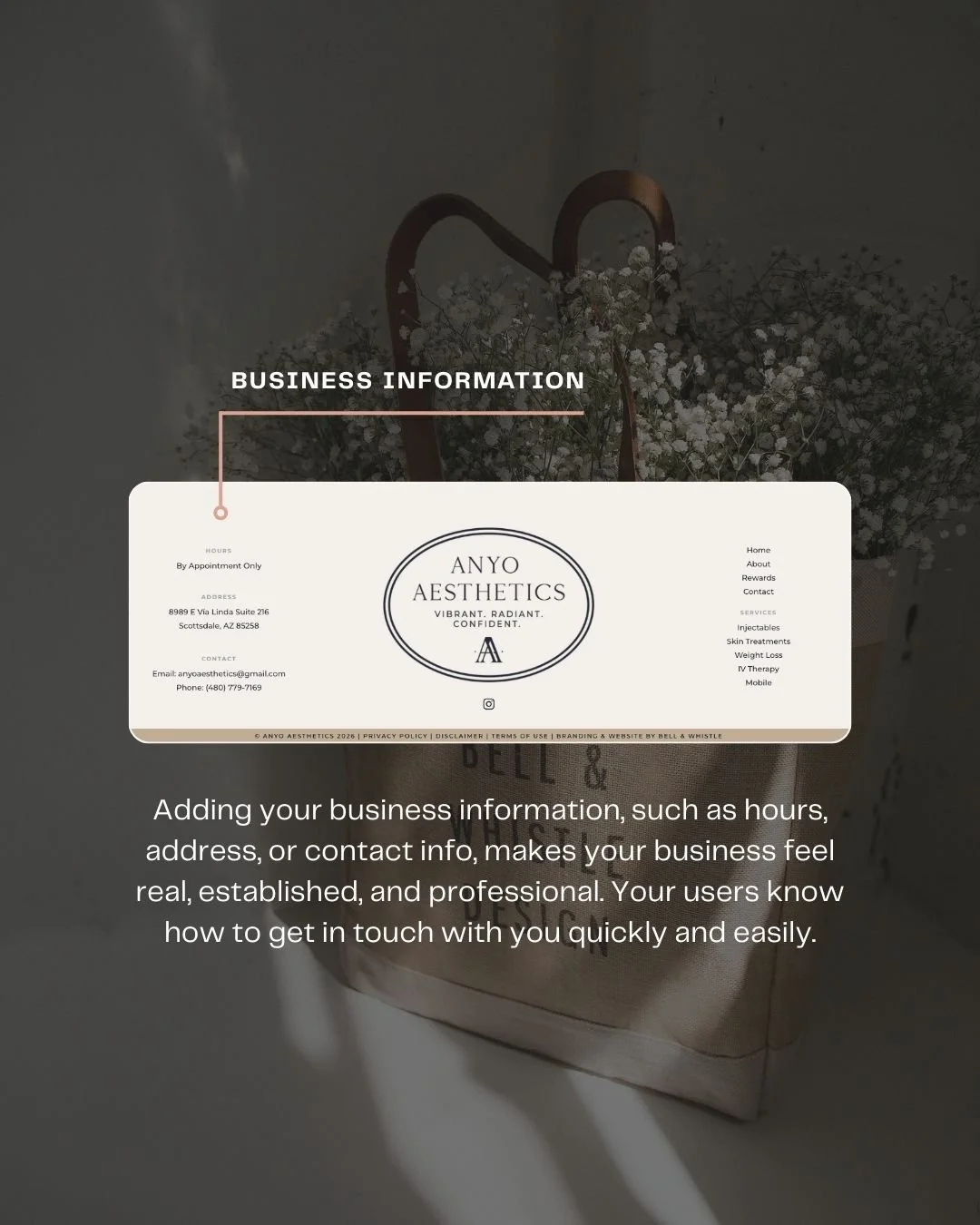
Help people reach out without hunting for it
Please hear me on this. Your business contact information should never feel difficult to find. And including it in your footer is one of the easiest ways to make your website feel more helpful and more legitimate.
Depending on your business, this could include:
email address
phone number
physical address
office hours
appointment-only note
contact page link
When your business contact information is easy to spot, it sends a message that your business is real, accessible, and ready to help. It also removes friction for people who are already interested and simply want to know how to get in touch.
It may seem like a small detail, but it can do a lot of quiet trust-building work.
Include Social Media Links That Make Sense
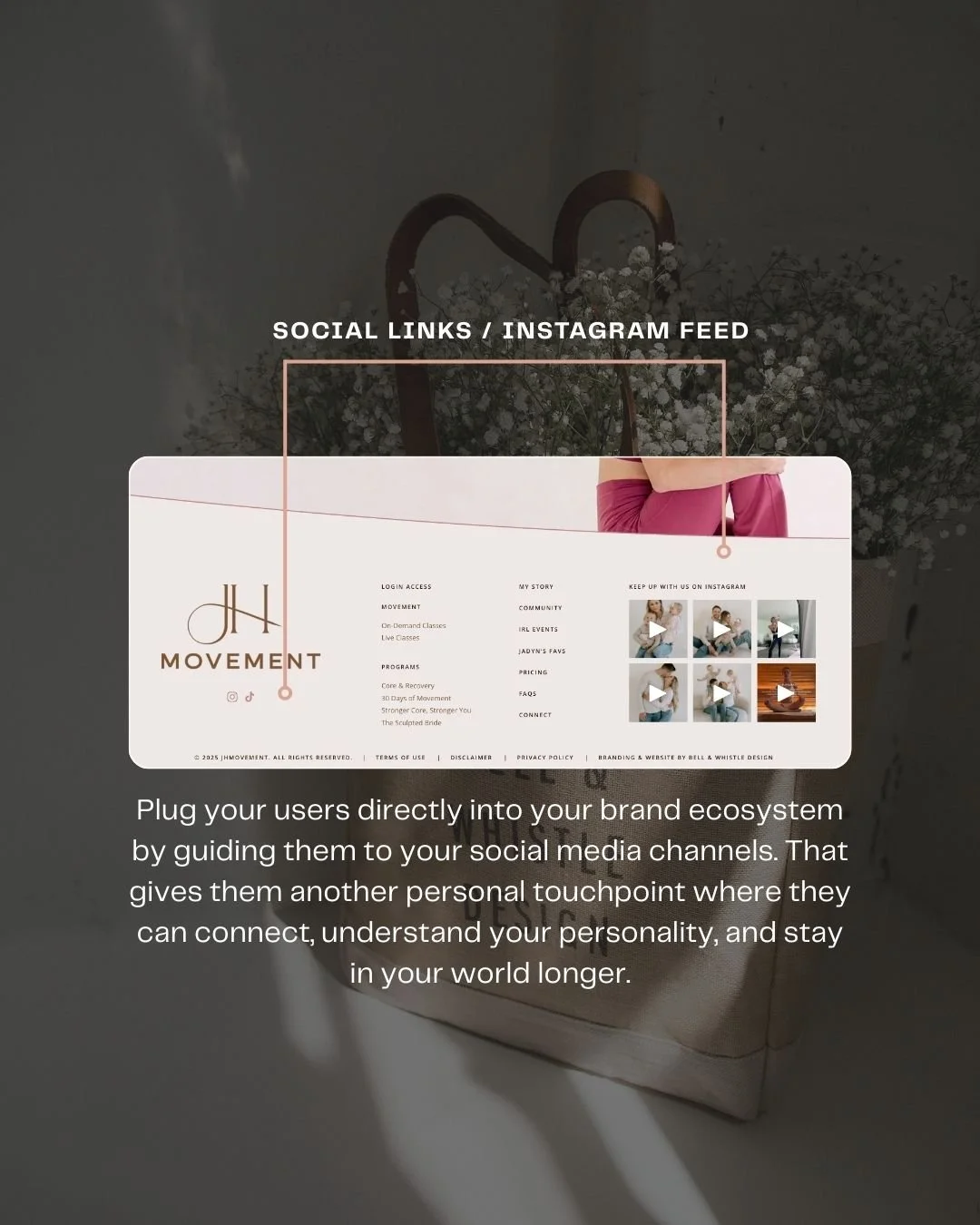
Keep people connected to your brand
If social media plays a role in your marketing, your footer is a smart place to include social media links. Not every visitor is ready to inquire, buy, or book right away. Some people want to follow along first, get a feel for your brand, and spend a little more time in your world before making a decision.
So, for some brands, this might be as simple as linking to Instagram, Facebook, or Pinterest. For others, it may make sense to include a small Instagram feed to visually reinforce the brand and invite visitors to engage further. Either way, the goal is to make it feel intentional and relevant to your audience.
Use Your Footer to Support Cohesive Branding
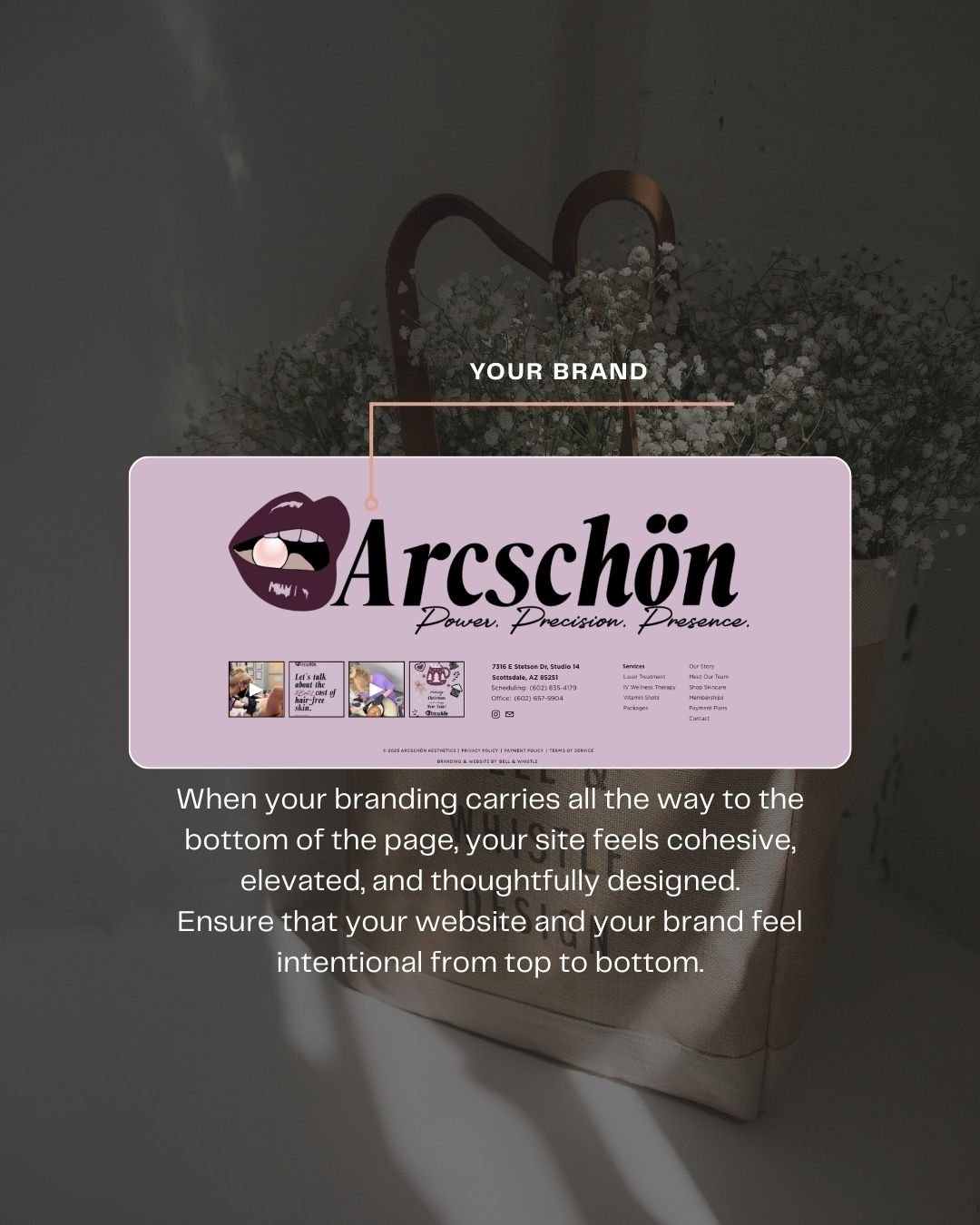
Your branding shouldn’t stop at the bottom
One of the easiest ways to make your website feel more polished is by carrying your visual identity through every part of the experience, including the footer. Strong cohesive branding helps your site feel complete, elevated, and thoughtfully designed.
This can show up through:
brand colors
typography
logo usage
icon styles
layout choices
subtle graphic elements
When your footer visually connects with the rest of your site, that cohesive branding helps your business feel intentional and memorable. It tells visitors that every detail matters, which is especially important if you want your brand to feel professional and premium.
Add Service Areas to Support SEO for Small Business
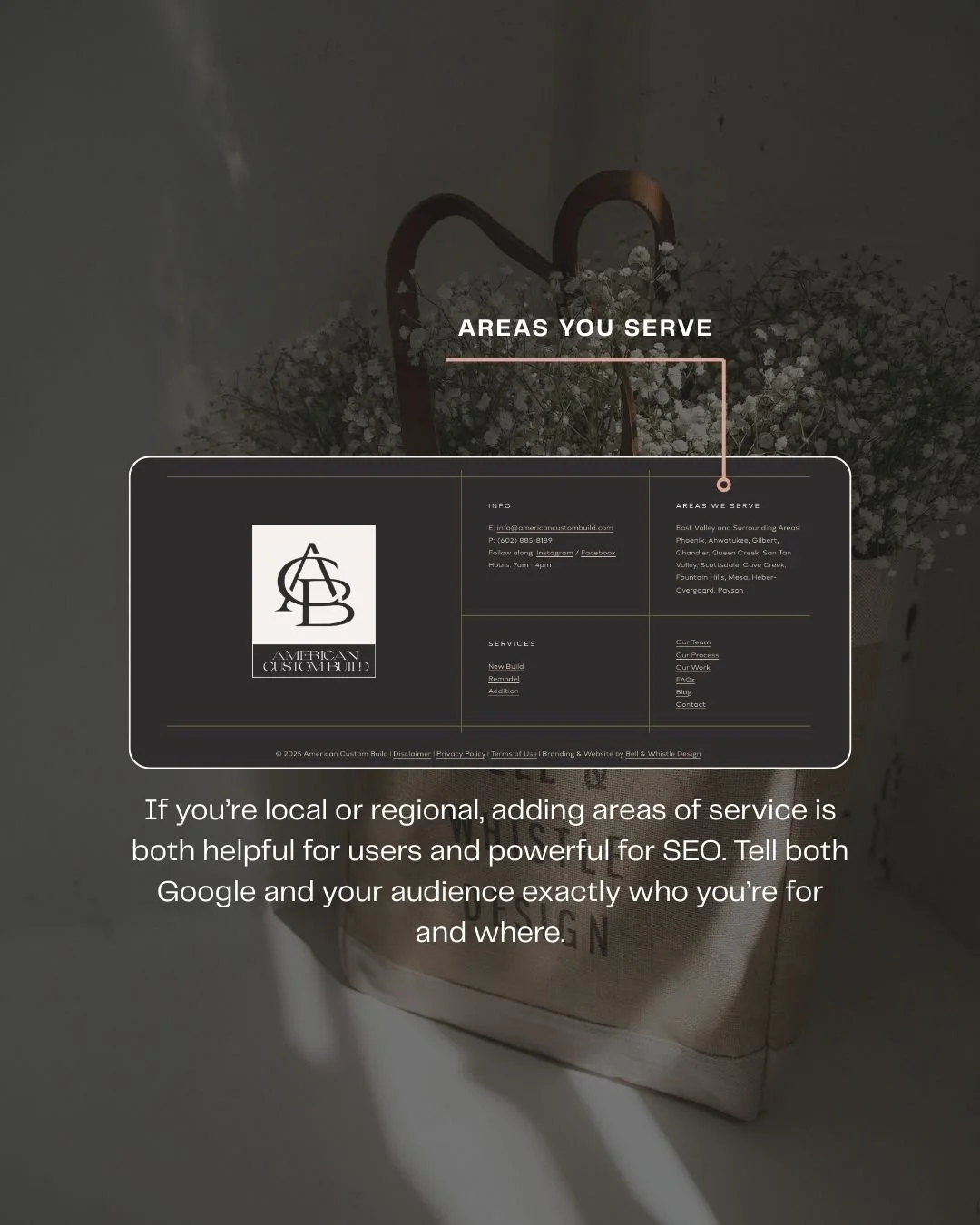
Local businesses shouldn’t skip this
If you serve a specific city, region, or set of locations, your footer can be a smart place to mention that. Including your service areas can support SEO for small business while also helping visitors quickly confirm whether you work in their area.
For example, you might list:
the cities you serve
the neighborhoods you specialize in
the region where you offer services
nearby locations you regularly travel to
This can be especially helpful for photographers, interior designers, contractors, med spas, real estate professionals, and other service-based businesses.
Make it natural and useful
The goal here is not to cram in a long list of keywords. It’s to make your footer more informative while also supporting SEO for small business in a natural way. Search engines appreciate context, and your audience does too. If someone is scanning your site wondering whether you serve their area, the footer can answer that question right away.
Keep It Organized, Not Overstuffed
More is not always better
A good footer should feel clear and useful, not overwhelming. While it can hold a lot of important information, it still needs structure. Organize content into sections, use white space intentionally, and think through what your visitors are most likely looking for.
A great approach is to group information into logical sections. For example:
Navigation
Use this area for your most important links and pages.
Contact
Include your business contact information so visitors know how to reach you.
Social
Add your social media links so users can keep engaging with your brand.
Legal
This is a good place for your privacy policy, terms, or disclaimers.
Service Areas
If applicable, include the locations you serve to support clarity.
This kind of organization is where website design best practices really come into play. The best footers balance function and beauty. They’re easy to scan, visually aligned with the rest of the site, and built to support the overall user experience.
A Few Final Website Footer Best Practices to Keep in Mind
Before you call your footer finished, ask yourself a few simple questions:
Is it easy to scan?
Does it include helpful website navigation?
Can people find your business contact information quickly?
Are your social media links relevant and intentional?
Does it reflect cohesive branding?
Does it support SEO for small business where appropriate?
If the answer to most of those is yes, you’re in a good spot.
Don’t Let Your Website Footer Be an Afterthought
Your website footer may be at the bottom of the page, but it can play a major role in how your website performs. If your current footer feels sparse, outdated, or like it was added just because it had to be there, this is your sign to give it a second look.
A more thoughtful footer can make your website feel more complete, more strategic, and much more user-friendly.
If your current website footer feels like an afterthought, Bell & Whistle Design Studio is here to help. Whether you need a website refresh or a full custom brand, reach out today and let us help you build something that not only looks beautiful, but works beautifully too.